As an Amazon Associate, we earn from qualifying purchases. Some links may be affiliate links at no extra cost to you. Although our opinions are based on curated research, we haven't used these products. Articles generated with AI.

Can I Play Games On A Non Gaming Laptop

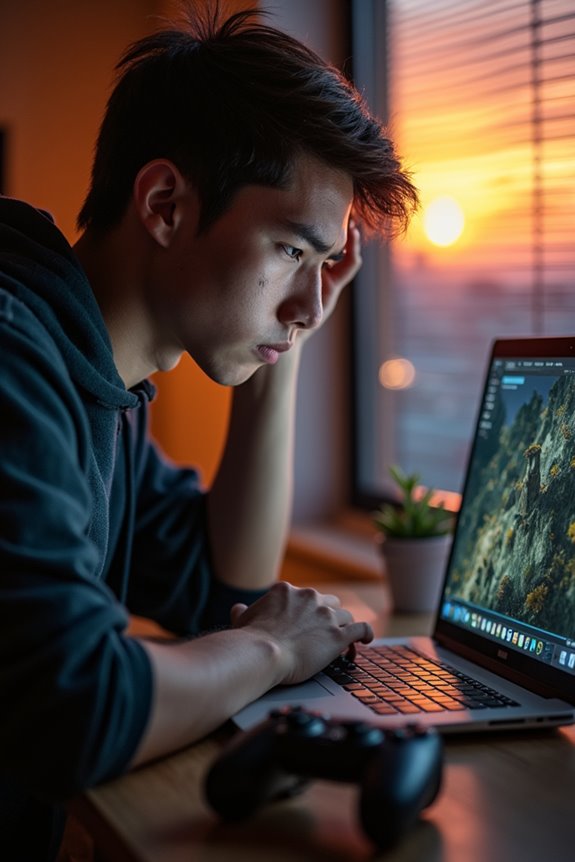
You can definitely play games on a non-gaming laptop, but don’t expect top-tier performance. With integrated graphics and at least 8GB of RAM, you can enjoy casual and indie games pretty well. However, older AAA titles will likely require lower settings, and multitasking might struggle during demanding games. Cooling issues can also arise, potentially leading to throttling. Stick around to explore more about performance limits and upgrade options that could enhance your gaming experience.
Key Takeaways
- Non-gaming laptops can run light games, especially indie and retro titles, with integrated graphics and at least 8GB of RAM.
- Older AAA games may be playable at lower settings, but performance will be limited due to hardware constraints.
- Cooling systems in non-gaming laptops are basic, which may lead to overheating during prolonged gaming sessions.
- Upgrading RAM to 16GB or replacing HDDs with SSDs can improve gaming performance and loading times significantly.
- External GPUs can enhance graphics capabilities, but require specific connections and may not be feasible for all users.
Understanding Integrated Graphics
You may be interested
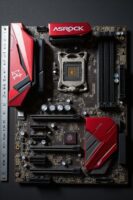


When it comes to integrated graphics, it’s fascinating to see how they’ve evolved over the years. These graphics cards, built right into the CPU or motherboard, share system resources like RAM. While that can limit performance compared to dedicated GPUs, they’re still quite handy for basic tasks. I love how they keep power consumption low, making them perfect for laptops where battery life is vital.
With advancements like AMD’s APUs and Intel Iris graphics, even lighter gaming is becoming possible. Sure, they won’t handle the latest AAA titles, but for web browsing, video playback, and casual gaming, they’re more than sufficient. Integrated graphics offer a cost-effective solution that balances performance and portability, making them a smart choice for everyday users.
Recommended Products
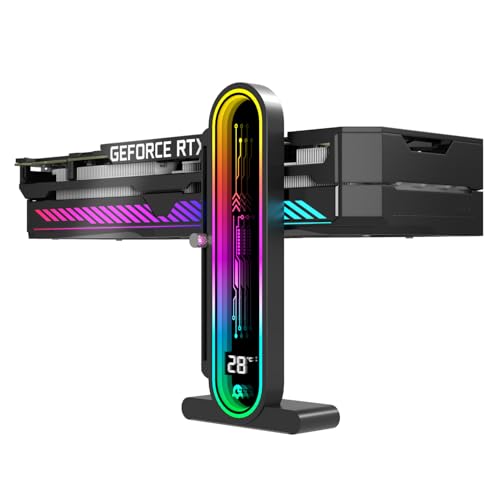
Integrated Temperature Monitoring:Precisely tracks internal chassis temperature fluctuations to assist in optimizing thermal management for system stability.

DESIGNED FOR COMPETITIVE ESPORTS TOURNAMENT

Powerful Processor: AMD Ryzen 5 5600GT 3.6GHz (4.6GHz Turbo) 6-Core 12-Thread processor brings faster response time to easily handle multi-threaded tasks
Performance Limitations of Non-Gaming Laptops

Integrated graphics may offer a decent entry point for casual use, but the performance limitations of non-gaming laptops can really hinder the gaming experience. Most non-gaming laptops have fewer CPU cores and threads, making multitasking a challenge during demanding games. With lower RAM, you’ll notice games struggle, especially those that require more memory. Then there’s the cooling system; basic setups often lead to overheating and thermal throttling, which can slow down your CPU and ruin your gameplay. Plus, traditional hard drives can lead to frustratingly long loading times. While you can upgrade RAM or swap in an SSD, the lack of a dedicated GPU means you won’t achieve the smooth graphics many modern games demand. If you’re unsure how your machine currently handles gaming workloads, it’s a good idea to learn how to check laptop gaming performance before making any hardware decisions.
Light Gaming: What to Expect

Many people wonder what light gaming on a non-gaming laptop is really like. It’s quite enjoyable, especially when you stick to indie games, retro titles, or casual puzzle games. With integrated graphics and at least 8GB of RAM, you’ll find that many of these games run smoothly, giving you a satisfying experience without the need for high-end specs.
Sure, older AAA games can be played at lower settings, but don’t expect miracles. Your laptop’s processor plays a vital role, too; a decent one can handle most light gaming tasks without hiccups. Plus, the portability and sleek design of these laptops make them perfect for casual gaming on the go, even if they can’t keep up with high-performance demands.
Recommended Products

PC Controller for Gaming: The EasySMX X15 wireless gamepad is built for Windows PC and Steam gaming, with full support for Switch and Android. Versatile control across your favorite platforms. Note: Not compatible with X-box, Luna, PS-4, PS-5

Supported Multi-Platform:Switch/Switch 2 (NO support wake-up function)/iOS/Android/Windows PC (Notice:Not compatible with Xbox, PlayStation or GeForce Now, For game platforms not mentioned, please consult customer service before buying)

【Multi-Platform Compatibility – Your PC,Switch,Steam Deck,PS4,and Phone, Covered】This pc controller connects to your gaming rig, Nintendo Switch 2, Steam Deck, and phone—all from one device. Building a setup across PC and consoles shouldn't mean buying a separate switch controller for each platform. As a wireless controller with Bluetooth/2.4G/Wired triple-mode, it's your bluetooth controller for PC gaming at your desk, your nintendo switch controller wireless for Zelda on the couch, and a phone controller for Genshin on the go. Whether you're on Windows, Switch 2,PS4,Steam Deck, iOS, or Android, this nintendo controller works — one controller, six platforms. (Not compatible with Xbox/PS5.)
Cooling Constraints During Gaming

While gaming on a non-gaming laptop can be fun, it often comes with some cooling constraints that you should be aware of. These laptops typically lack advanced thermal systems, which can lead to overheating during intense sessions. When temperatures soar, you might experience throttling, where your laptop slows down to protect itself. That can be frustrating when you’re trying to enjoy your favorite game.
Some laptops do have decent fans, but they’re often not powerful enough. Using a cooling pad might help a bit, but don’t expect miracles. Regularly monitoring your laptop’s temperatures is essential, too. It’s all about finding that balance between performance and longevity, so keep an eye on those heat levels while you game.
Comparing Graphics Specifications

When it comes to gaming on a non-gaming laptop, understanding the graphics specifications can really make or break your experience. Integrated GPUs, common in these laptops, handle light tasks, but if you want to play modern games smoothly, dedicated GPUs are the way to go. High-end models like the NVIDIA GeForce RTX 3080 and RTX 4090 can deliver impressive performance, but remember, laptop versions generally lag behind desktops due to thermal and power constraints.
When gaming, clock speed and memory bandwidth matter. A 256-bit memory interface and higher clock speeds can greatly enhance your gameplay. While you might still enjoy casual games, don’t expect 4K performance on a non-gaming laptop. It’s a balancing act, but worth exploring!
Recommended Products

[High-Performance Processing] Powered by the AMD Ryzen 5 6600H (up to 4.5GHz) and high-speed DDR5 RAM, this gaming laptop handles intense multitasking and demanding software with ease. Perfect for competitive gaming, video editing, or running complex engineering simulations without lag.
Best Uses for Non-Gaming Laptops
Non-gaming laptops shine in various everyday scenarios, making them a solid choice for many users. They’re perfect for general tasks like browsing, emailing, and word processing. I love how lightweight they are, making them easy to carry around, especially for students and professionals. These devices are budget-friendly, often running software like Microsoft Office and Google Workspace smoothly. Their longer battery life keeps me productive on the go.
In terms of creativity, they can handle basic graphic design and video editing, though don’t expect them to tackle heavy projects. Overall, while they may not be powerhouses, they support essential tasks efficiently, making them reliable companions for daily life. So, if you need functionality over gaming, they’re a great fit!
Upgrade Options and Customization Challenges
Upgrading a laptop can feel like a puzzle, especially if you’re trying to optimize a non-gaming model for gaming performance. You can start with RAM; most laptops support upgrades up to 16 GB, which is essential for better multitasking. Then, consider swapping out your HDD for an SSD to boost load times—knowing how many GB you actually need for gaming helps you choose the right capacity without overspending. If you’re looking for graphics enhancements, an external GPU can work wonders, but make certain you have a Thunderbolt connection.
However, keep in mind that many components, like CPUs, are soldered in place, limiting your options. Thin designs pose challenges too. And while upgrades can be cost-effective, they might void warranties, so weigh your choices carefully. Sometimes, cloud gaming can be a handy alternative without the hassle of hardware changes.
Recommended Products

NVIDIA & AMD DESKTOP GPU READY — Designed to fit PCIe desktop graphics cards up to 4 slots wide, give any compatible laptop a massive boost in power by connecting the latest NVIDIA GeForce and AMD Radeon GPUs (GPU & power supply not included)

This complete kit includes everything you need:a GPU Enclosure Box ,240W external power supply, Thunderbolt 4 cable, 8-pin PCIe power cable, and a custom carrying case. Simply connect one cable to your device and instantly boost your graphics power for editing, rendering, or gaming

【Up Link & Down Link】Up link: Oculink 4i(PCIE4.0x4), Down Link: PCIEx16(PCIE4.0x4). Only Support Oculink.
Frequently Asked Questions
Can I Play Online Multiplayer Games on a Non-Gaming Laptop?
Absolutely, I’ve enjoyed online multiplayer games on my non-gaming laptop! Just tweak the settings for better performance, and explore lighter titles. Trust me, there’s a whole world of fun waiting for you!
What Are the Best Games for Non-Gaming Laptops?
You wouldn’t believe the gems I’ve found for non-gaming laptops! Games like *Celeste* and *Oxenfree* have captured my heart. They’re light yet rich, proving that sometimes, less really is more in gaming.
How Do I Improve Gaming Performance on My Non-Gaming Laptop?
To improve gaming performance on my non-gaming laptop, I’ve found that upgrading RAM, adjusting graphics settings, and using an external SSD really help. It’s all about finding the right balance for smoother gameplay.
Can I Use a Gaming Mouse With a Non-Gaming Laptop?
They say, “You can’t judge a book by its cover.” I’ve used gaming mice on my non-gaming laptop, and trust me, it boosts accuracy and comfort. Just check for compatibility, and you’re good to go!
Will Playing Games Damage My Non-Gaming Laptop?
I worry about my non-gaming laptop when I play games. The heat can be intense, and I’ve noticed battery life suffers. Still, I choose lighter games and manage settings to keep things safe.